

No-code 360 product viewer for any ecommerce website without a theme rewrite

One <script> snippet • Tilda / Custom HTML / ecommerce pages

Add a 360 view to your product page without coding

Spinnify is a no-code 360 product viewer that turns an image sequence into an interactive 3D product view modal popup. Paste one <script> snippet into Tilda, a Custom HTML block, or your ecommerce site, then bind the viewer by SKU, page URL, or Schema.org Product markup. The storefront widget makes an existing product page spin. Works with: Tilda, Shopify, WordPress, WooCommerce, Magento, PrestaShop, Bitrix, InSales, Custom HTML, Laravel, Symfony, and Next.js — and pretty much any website.

1
snippet
to install
No-code
Tilda +
Custom HTML
3
binding
SKU / URL / AUTO
360
views
tracked per product
3D
No-code widget

Your product page needs a 360 view — not another custom development task

Customers search for a simple way to add 360 view to a website without coding. Spinnify gives ecommerce teams a universal 360 spinner plugin experience: upload frames, paste one snippet, and let shoppers rotate the product in a modal popup.

Built for no-code pages

Works where you can add a script, iframe, or Custom HTML block

Answers product doubts faster

Shoppers rotate the item instead of guessing from flat images

Measured like a widget

Track opens, views, and watch time per product

Add a 360 view without coding

Paste one <script> snippet, choose SKU / URL / AUTO binding, and show an interactive 3D product view in a modal popup. Spinnify behaves like a universal ecommerce 360 spinner plugin for Tilda, Custom HTML, and custom storefronts.

No developer required for most installs

A no-code 360 product viewer you can publish today

Create a product, upload frames, and connect the widget to the product page. Your shoppers get a fast modal popup viewer; your team keeps control in the dashboard.

  • Install with one <script>, iframe, or Custom HTML block.
  • Use Tilda, CMS pages, headless storefronts, or custom HTML.
  • Show a 3D button, modal popup viewer, and per-product analytics.
How it works without custom development
1. Add product content
Upload spin frames and product identifiers in the dashboard.
2. Paste the snippet
Add the widget to Tilda, Custom HTML, or your ecommerce template.
3. Match the product
Bind the viewer by SKU, page URL, or Schema.org AUTO detection.
4. Open in a modal
Shoppers click “3D” and rotate the product without leaving the page.
No-code 360 product viewer

Everything for a universal ecommerce 360 spinner plugin

Upload product spin frames

Use the image sequence you already have for the product

Optimized viewer delivery

Frames are prepared for fast storefront loading

Modal popup iframe viewer

The interactive 3D view opens without breaking your page layout

On-page “3D” button

A ready storefront trigger shoppers understand immediately

No-code binding modes

Connect by SKU, Schema.org AUTO, or product page URL

Dashboard for every product

Publish, pause, edit, and manage 360 views without code deploys

Preview before embedding

Test the 360 product display before it appears on the site

Product-level analytics

See which 360 product views shoppers actually open and watch

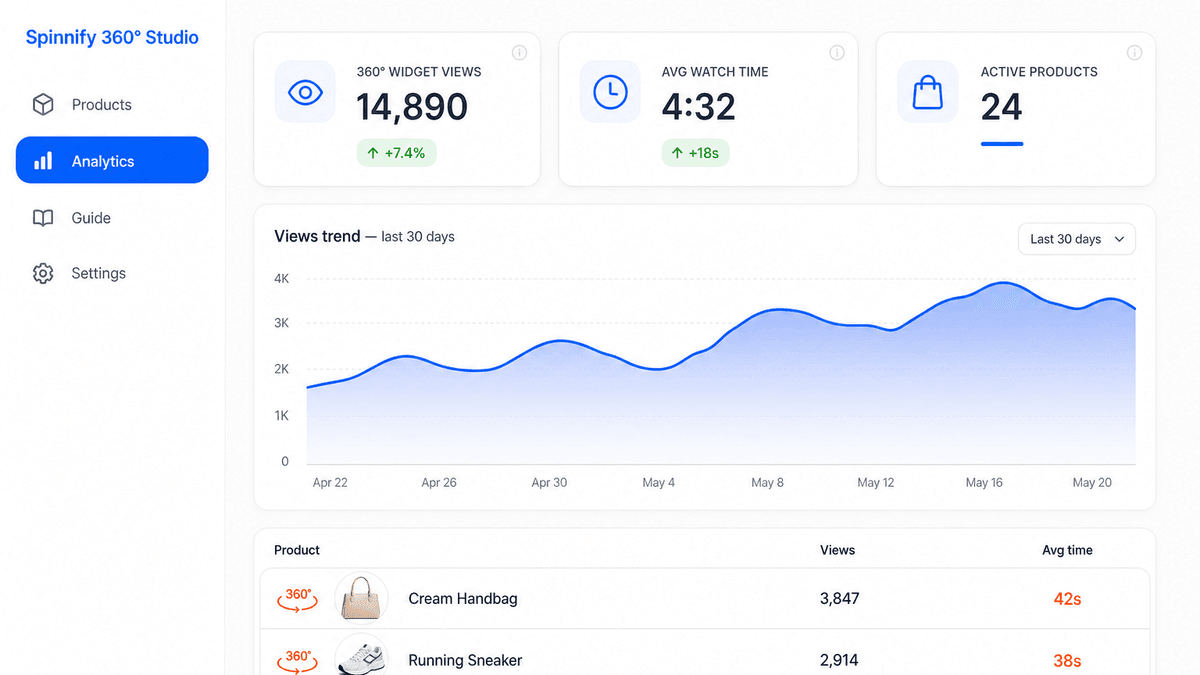
Spinnify 360° Studio dashboard with widget views, watch time, and product analytics

How to add a 360 view to your website without coding

1

Create a product

My products
SKU-001
24 frames
Active
SKU-002
36 frames
Inactive
2

Upload spin frames

360° serial photos
3

Paste the widget snippet

No-code integration snippet
<script
src="widget.js"
data-sku="SKU | AUTO | URL"
></script>
On-site trigger:
3D

Create a product, upload frames, and paste the snippet into Tilda, a Custom HTML block, or your ecommerce template. The “3D” trigger opens the 360 product viewer in a modal popup and matches products by SKU, URL, or AUTO markup.

Interactive 3D product details

Make the 360 view explain the product details

Add optional hotspots inside the 360 product view so shoppers can tap details while the item rotates. It is still a no-code storefront experience: the viewer opens from the same modal popup widget.

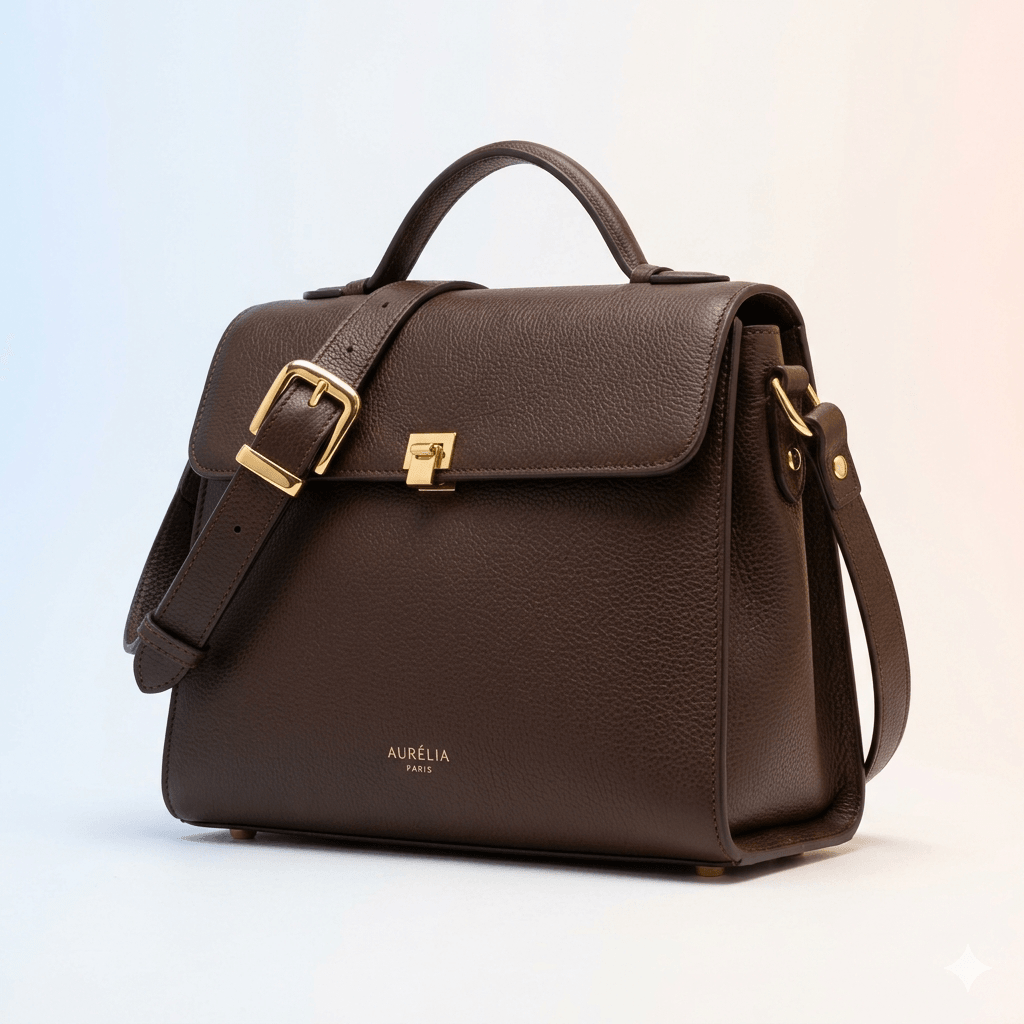
Leather handbag with interactive hotspot dots highlighting strap buckle, clasp lock, and brand logo

Click-to-place in one frame

Set a hotspot on the anchor frame — position, title, and optional link. AI calculates the rest automatically.

AI-powered frame tracking

Computer-vision tracking maps the hotspot across every frame so it follows the product as shoppers rotate.

Visible in the live viewer

Shoppers see pulsing dots on the 360° product. One tap reveals details, descriptions, or external links.

How hotspots work

1
Place a dot
Pick a frame, click the spot
2
AI tracks it
Auto-position across all frames
3
Shoppers interact
Dots appear in the live viewer

How to connect a 360 product display widget — with one snippet

Paste <script> into <head>, a Tilda HTML block, or your storefront template. The no-code 360 viewer can bind by SKU, Schema.org Product markup (AUTO), or product page URL.

Manual (SKU)

Best when the product page already has a SKU or product code

<script
  src="https://YOUR_DOMAIN/widget.js"
  data-key="YOUR_WIDGET_KEY"
  data-sku="PRODUCT_SKU"
  defer
></script>

AUTO (Schema.org)

The widget reads Product markup and connects the right viewer

<script
  src="https://YOUR_DOMAIN/widget.js"
  data-key="YOUR_WIDGET_KEY"
  data-sku="AUTO"
  defer
></script>

By page URL

Useful for Tilda, landing pages, and Custom HTML installs

<script
  src="https://YOUR_DOMAIN/widget.js"
  data-key="YOUR_WIDGET_KEY"
  data-sku="URL"
  defer
></script>

No-code install flow

Product in dashboard
SKU or URL path
Widget snippet
Script / iframe / HTML block
Modal popup
Interactive 3D view
Analytics
Opens and watch time

Platform-specific setup lives in our integration hub.

Embed 360 viewer — integration guide
No embed option

Public 360 viewer link — when you cannot paste code

Need a 360 product display on a marketplace, quote, email, or page where scripts are not allowed? Copy a public viewer link from Spinnify and share the same interactive 3D product view as a URL.

One link per product

Use it when a platform blocks scripts or you only need to send a buyer a direct 360 view.

Mobile and desktop ready

The public page chooses the best frame set for the visitor’s device.

Works beyond your store

Useful for sales chats, B2B quotes, social posts, and listings without Custom HTML.

Live demo

  1. Open the demo link or copy it from this block.
  2. Rotate the product — drag or use the mouse wheel.
  3. Tap hotspots to see details — the same experience as a public product link.

Built for teams that need a no-code 360 product display

Install on Tilda, CMS, or Custom HTML pages

No theme rewrite for most storefronts

One dashboard controls publishing

Per-product widget analytics

Universal ecommerce widget
Tilda
Shopify
WordPress
WooCommerce
Magento
PrestaShop
Bitrix
InSales
Custom HTML
Laravel
Symfony
Next.js

and pretty much any website

Blog

360° commerce insights & playbooks

Articles on Shopify, WooCommerce, Tilda, and page speed — for merchants who want interactive product spins without hiring a dev team.

All articles
  • Spinnify 360° Studio hero: smartphone on a rotating tripod capturing a room for an embeddable virtual tour
    Product UX8 min read

    360 Virtual Tours Beyond E‑commerce: Real Estate, Apartments & Places You Can Shoot with a Phone

    Shoot a virtual apartment or property tour with a phone and rotating tripod—upload to Spinnify, embed a 360° viewer. A lighter Matterport alternative.

    Read article
  • Spinnify 360° viewer on a Shopify product page: 3D View button opening an interactive product spin
    Integration9 min read

    How to Add a 360 Product View to Shopify (Sizes, App Block & SKU Matching)

    Add an interactive 360° spin to Shopify product pages: recommended image sizes, Spinnify app block setup, SKU matching, and lazy-loaded 3D View—no per-SKU code.

    Read article
  • Spinnify 360° Studio branded hero: warehouse 360° capture corner with turntable and mobile app
    Product UX10 min read

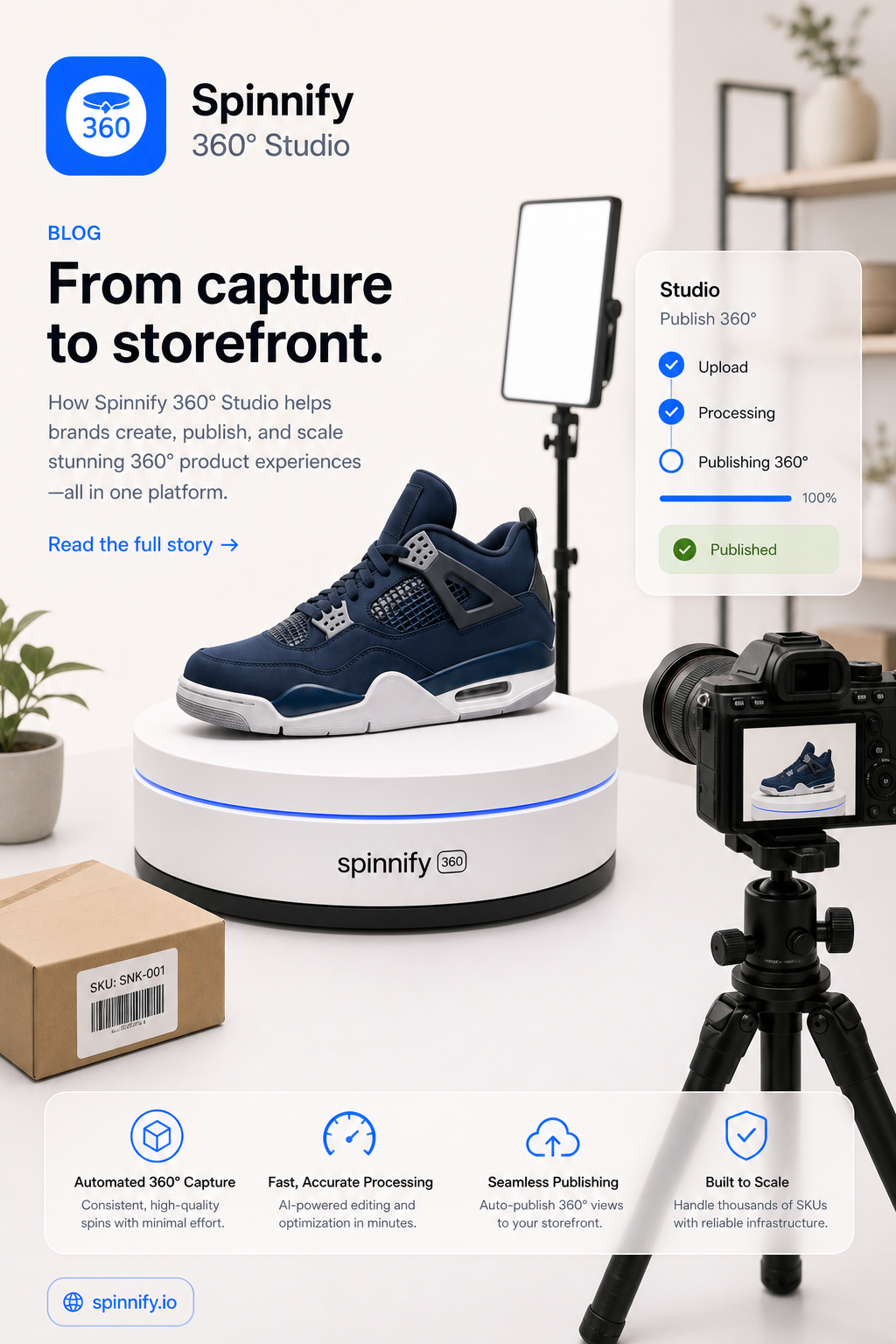
    Ecommerce 360° Content Without the Studio Bottleneck: One Operator, One Workflow

    Shoot 360° product spins at receiving: turntable, Spinnify app, SKU match, CDN. Step-by-step warehouse guide—no studio or CMS gallery uploads.

    Read article
  • Side-by-side comparison of Spinnify lightweight 360° viewer and Sirv DAM platform
    Integration12 min read

    Spinnify vs Sirv: Which 360° Viewer Should Your Ecommerce Store Use in 2026?

    Spinnify vs Sirv for product 360° spins: LCP impact, integration effort, pricing, and when a specialized viewer beats a full DAM platform—without slowing your PDP.

    Read article

Frequently asked questions

No-code 360 viewer basics

What is a no-code 360 product viewer?

A no-code 360 product viewer lets you show an interactive product spin on a website without building a custom viewer. Spinnify provides the dashboard, snippet, modal popup, and product matching.

How do I add 360 view to a website without coding?

Upload product spin frames in Spinnify, publish the item, and paste one <script>, iframe, or Custom HTML block into the page. The widget opens the 360 view in a modal popup.

Can I use Spinnify with Tilda, Shopify, WooCommerce, or Custom HTML?

Yes. If the platform lets you add a script, iframe, or HTML block, Spinnify can work as a 360 product display widget. Product matching can use SKU, URL, or Schema.org markup.

Is Spinnify a photo studio or media hosting service?

Spinnify is not a photo studio—it is a no-code 360° viewer and dashboard. After you upload spin frames, Spinnify stores and delivers them from its fast CDN with automatic resize, WebP/AVIF conversion, and optimization. Your storefront only loads a lightweight widget snippet; spin images are not hosted on your web server.

Can I add 360° product view without a 3D model?

Yes. Spinnify builds interactive spins from a photo sequence around the product—not from a custom 3D mesh. Upload spin frames in the dashboard and publish the widget. No CAD, WebGL scene, or per-SKU 3D modeling is required.

Is there a free plan to try Spinnify?

Yes. Start with a free demo to explore the dashboard and widget. Paid plans scale with how many products you keep active; billing runs through Stripe and you can change or cancel anytime in the dashboard.

Tilda, Custom HTML, and product matching

Do I need a developer to install the 360 product viewer?

Usually no. For Tilda, Custom HTML, and many ecommerce templates, pasting the snippet is enough. A developer may help only when your platform blocks custom code.

Can the widget work without Schema.org markup?

Yes. Manual SKU mode and URL mode do not require Schema.org. AUTO mode is available when the product page already has Schema.org Product data.

Why does the 360 viewer open in an iframe modal popup?

The modal popup keeps shoppers on the product page, while the iframe isolates the interactive 3D view from storefront CSS and scripts. That makes installation simpler and more stable.

How do I add 360° product view to Tilda?

Create a product in Spinnify, upload frames, and paste the widget <script> into Tilda site settings (before </head>) or a T-code / HTML block on the product page. Match the product by SKU, page URL, or Schema.org AUTO—no custom Tilda module required.

Does Spinnify work as a 360° widget for Shopify and WooCommerce?

Yes. On Shopify, install the Spinnify app and connect your store (see the integration guide). On WooCommerce and similar platforms, paste the snippet in the theme or product template where scripts are allowed. Matching uses SKU, page URL, or Schema.org Product markup.

Can I share a 360° view without embedding code on the page?

Yes. Copy a public viewer link from the Spinnify dashboard and send it in email, chat, B2B quotes, or marketplaces that block scripts. The buyer opens the same interactive spin in the browser—no snippet on the host page required.

Display, frames, and modal popup

How many frames do I need for a 360 product display?

Most products look smooth with 24–36 frames. Fewer frames load faster; more frames can feel smoother. The best count depends on product detail and page speed needs.

Can I turn the 360 widget on or off for individual products?

Yes. Each product has publishing controls in the dashboard, so you can enable, pause, or update the 360 view without changing the site snippet.

Can I capture 360° frames with a phone?

Spinnify is building iOS and Android apps for guided capture on a turntable. Frames compress to WebP on device and upload to your workspace with your API key—the same items can power the site widget once published.

Technical implementation

How does Spinnify keep a no-code 360 product viewer fast?

Frames are stored on Spinnify's CDN and served through an optimized delivery pipeline—resize, modern formats (WebP/AVIF), and quality tuning per viewport. The viewer loads only when a shopper opens the 3D control, so the product page stays light.

Will a 360° widget slow down my product page?

Spinnify is designed for a light first paint: frames are hosted on Spinnify CDN and served as optimized variants (resize, WebP/AVIF). The interactive viewer loads when the shopper opens the 3D control—not on initial page load. The modal keeps the spin isolated from your theme CSS and scripts.

Where are my 360° product images stored—on my server or with Spinnify?

With Spinnify. You upload spin frames in the dashboard or mobile app; Spinnify stores them on fast cloud CDN storage and serves optimized variants to shoppers. Your site embeds only a small widget script—no need to upload hundreds of frames to Shopify, WooCommerce, Tilda, or your own hosting.

Conversion and shopper intent

Why add a 360 product display instead of only using photos or video?

Photos are static and video controls the story. A 360 product display lets shoppers choose the angle themselves, which helps them inspect shape, details, and materials before buying.

Is 360° spin a good alternative to product video on the product card?

For many catalogs, yes. Video plays a fixed story; 360° lets shoppers control the angle and inspect details at their pace—often with a lighter page weight than autoplay video. It complements still photos rather than replacing your full media mix.

Interactive product detail

What are interactive hotspots in Spinnify?

Hotspots are optional points inside the 360 view. They can explain materials, features, or product details while shoppers rotate the item in the interactive viewer.

No-code integration

Is Spinnify a universal ecommerce 360 spinner plugin?

Yes. Spinnify behaves like a universal ecommerce 360 spinner plugin on the storefront: one snippet, a 3D trigger, modal popup viewer, and matching by SKU, URL, or Schema.org.

Can I use Spinnify as an interactive 3D product view modal popup snippet?

Yes. The on-site widget is an interactive 3D product view modal popup snippet: paste it, connect a product, and shoppers can open and rotate the item from the page.

Does Spinnify work with Webflow, WordPress, and other CMS pages?

Yes, wherever you can add a <script>, iframe, or custom HTML block. Webflow custom code, WordPress headers, and builder pages like Tilda follow the same pattern: paste once, bind by SKU, URL, or Schema.org AUTO.

Pricing

Plans that scale with your catalog

Start with a free demo, then choose a paid plan when you are ready to publish more no-code 360 product viewers. Compare 360 product viewer pricing for your catalog size—switch or cancel anytime in the dashboard.

In development

Faster frame capture for future no-code publishing

We are building a companion app that will help teams capture product spin frames on a phone and send them to Spinnify. The goal is simple: shorten the path from product images to a live no-code 360 viewer on your site.

Guided capture for a full spin sequence without leaving the app.

Prepares frame files for the viewer so less desktop work is needed.

Uploads to your workspace with your personal API key.

Helps teams publish many SKUs faster.

Once frames are ready, the existing site widget can show the new 360 view.

iOS
Android

Exact launch timing and feature set may change—we’ll share more as we get closer to release.